
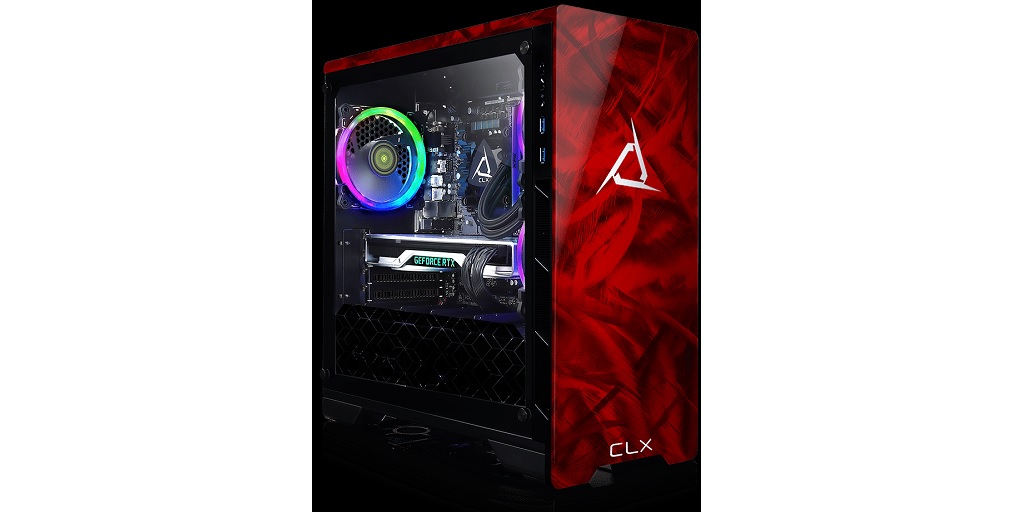
So you’ve just received your brand-new custom-built gaming computer – congratulations! Before you jump into your favorite games, though, it’s essential to make sure that everything is in perfect working order. After all, a custom-built PC is an investment, and you want it running smoothly from day one.
If you’re not sure where to start, though, don’t worry. Here’s a friendly guide to help you check your new gaming rig before diving into your first epic gaming session:
Initial Inspection – Check the Exterior
Before you even think about turning your new gaming PC on, it’s always a good idea to give the exterior a thorough once-over. While custom-built machines like yours are usually shipped with additional padding and foam inserts to protect their internal components, anything can happen during shipping.
Follow these simple steps to ensure everything looks good on the outside:
Inspect for Physical Damage
Shipping can sometimes be a rough journey for your PC. Check the case, ports, and tempered glass panels (if any) for any cracks, dents, or scratches. Even if the packaging seemed secure, rough handling during transit could lead to minor (or major) damage. If you notice any issues, don’t power it on—contact the builder immediately.
Remove Any Shipping Inserts
Custom-built gaming PCs often come with foam or padding inside the case to prevent components from moving during transit. Carefully open the case (usually with a simple thumbscrew) and remove any inserts. These could be near your GPU, RAM, or fans. It’s crucial to get rid of these before powering up your system to avoid damaging any of the delicate internal parts.
Check Internal Connections
After the exterior is cleared and the shipping inserts are removed, it’s time to take a good look inside your PC. Even professionally built PCs can sometimes have loose cables or components after a long journey.
Here’s what to check:
Ensure All Cables Are Secure
One of the most common issues with custom-built PCs during shipping is loose cables. Take a few minutes to ensure that all cables, especially the power cables connecting your CPU, motherboard, and GPU, are securely in place. Tug lightly on each connection to make sure it’s snug. Loose connections can cause your PC to not power on or cause erratic behavior.
Check GPU and RAM Seating
While you’re inside the case, check that your GPU and RAM are properly seated in their respective slots. Sometimes, components can shift slightly during shipping. To ensure a secure connection, gently push them back into place. Don’t force it, but make sure they are firmly clicked into position.
First Boot – Powering On
Once everything looks good and secure, it’s time for the moment of truth – powering on your new gaming computer for the first time.
Connect the Essentials
Before hitting that power button, connect your monitor, keyboard, and mouse. If you’re using external speakers or headphones, plug them in too. You’ll want to make sure everything is recognized on the first boot. Make sure to use the correct display output (HDMI, DisplayPort, etc.) from your GPU rather than the motherboard, especially if you have a dedicated graphics card.
Boot Up and Check BIOS
When you turn on the PC, immediately check if it boots into the BIOS (Basic Input/Output System). This step ensures that all your hardware is detected and working properly. To enter BIOS, you usually press a key like Delete or F2 during startup (your system’s splash screen will show which key to press). In BIOS, check that your CPU, RAM, and storage drives are correctly recognized. It’s also a good idea to check your CPU temperatures at this stage, just to ensure your cooling solution is working effectively.
CLX: Your Source for Gaming Computers Online
These tips are brought to you by CLX, your #1 source for gaming computers online. CLX is a custom system integrator that caters to gaming enthusiasts, content creators, and PC industry professionals! When you buy a gaming PC from CLX, you invest in quality, attention to detail, and unmatched flexibility. Visit the CLX website now to view their extensive catalog of ready-to-ship gaming PCs, or virtually build the rig of your dreams using their Ultimate Configurator!
