
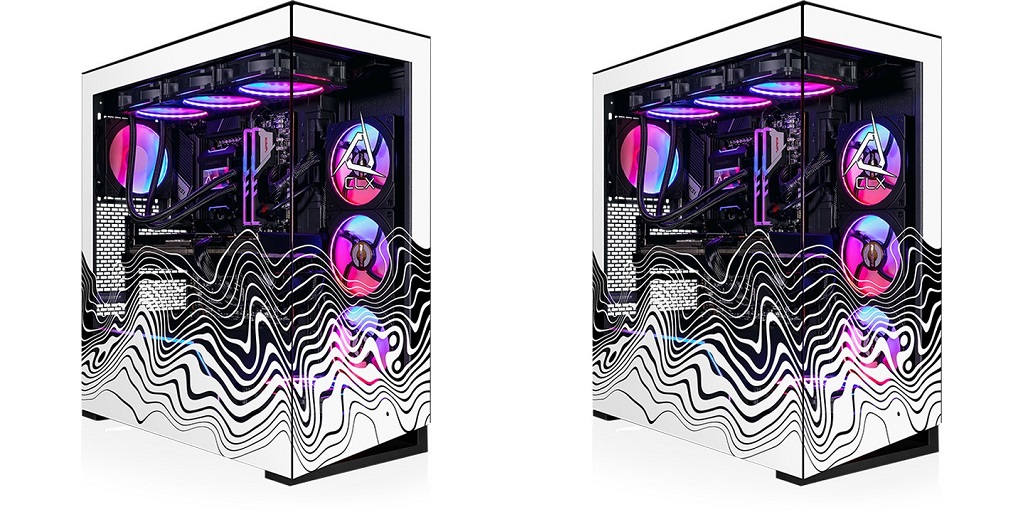
A gaming desktop builder lets you select hardware that fits your gaming goals, preferred titles, and budget. Instead of guessing which parts work well together, you can evaluate each component based on performance, compatibility, and future upgrade options. Taking time to understand the purpose of each part helps you create a system that delivers reliable results for years.
Start with the Processor
The processor handles game logic, background tasks, and system responsiveness. Modern games benefit from multiple cores and strong single-core performance, especially in competitive titles where high frame rates matter.
Think about the games you play most. Fast-paced multiplayer games usually reward higher clock speeds, while simulation and strategy games can benefit from additional processing power. Choosing a processor that matches your gaming habits helps create a balanced system.
Select the Right Graphics Card
The graphics card has the greatest influence on gaming performance. It determines how well your computer handles high resolutions, visual effects, and demanding game engines.
Before making a decision, consider your monitor’s resolution and refresh rate. A system built for 1080p gaming has different hardware requirements than one designed for 1440p or 4 K gaming. Matching the graphics card to your display prevents unnecessary spending while maintaining excellent performance.
Choose Enough Memory
System memory allows games and background applications to run efficiently simultaneously. Insufficient RAM can lead to slower loading, reduced responsiveness, and interruptions during gameplay.
Many gamers find that 32 GB provides comfortable headroom for current releases, streaming software, voice chat, and web browsers running together. Faster memory can also provide small performance improvements on supported platforms.
Pick Storage That Fits Your Library
Solid-state drives dramatically reduce loading times compared with traditional hard drives. Installing your operating system and favorite games on an SSD creates a faster overall experience.
Storage capacity also deserves attention. Modern games regularly exceed 100 GB, making larger SSDs a practical investment for players with extensive game collections. Additional storage can always be added later if your library expands.
Don’t Overlook Cooling
Gaming systems generate heat during extended sessions. Effective cooling helps maintain stable temperatures and consistent performance.
Air coolers remain an excellent option for many builds, while liquid cooling appeals to users seeking additional thermal capacity or a specific visual style. Proper airflow inside the case also contributes to lower component temperatures.
Choose a Reliable Power Supply
Every component depends on stable power delivery. A quality power supply protects your hardware and supports long-term reliability.
Check the estimated power requirements before making a purchase. Leaving extra wattage available also provides flexibility for future hardware upgrades without replacing the power supply.
Consider the Case and Expansion Options
A computer case affects airflow, cable management, and upgrade potential. Verify that it supports your chosen graphics card, cooling solution, and motherboard size.
Extra drive bays, fan mounting locations, and accessible front ports can make daily use more convenient. Planning for future expansion allows your system to adapt as your needs change.
Build Around Your Gaming Goals
Every gaming setup has different priorities. Competitive players may value higher frame rates, while single-player enthusiasts may focus on visual quality. Content creators may also need additional processing power for editing and streaming.
Using a gaming desktop builder with a clear goal helps narrow your choices and keeps your budget focused on the components that matter most for your preferred experience.
Explore More Build Ideas with CLX Gaming
Ready to create a system for your gaming goals? CLX Gaming offers custom-built desktops for every type of player. Explore configurable hardware options, choose the components that match your performance expectations, and build a gaming PC that fits your style and budget. Visit CLX Gaming to start designing your next custom gaming desktop.
For more information about Gaming PC and Small Pre Built Gaming Pc Please visit: Cybertron International, Inc.
