
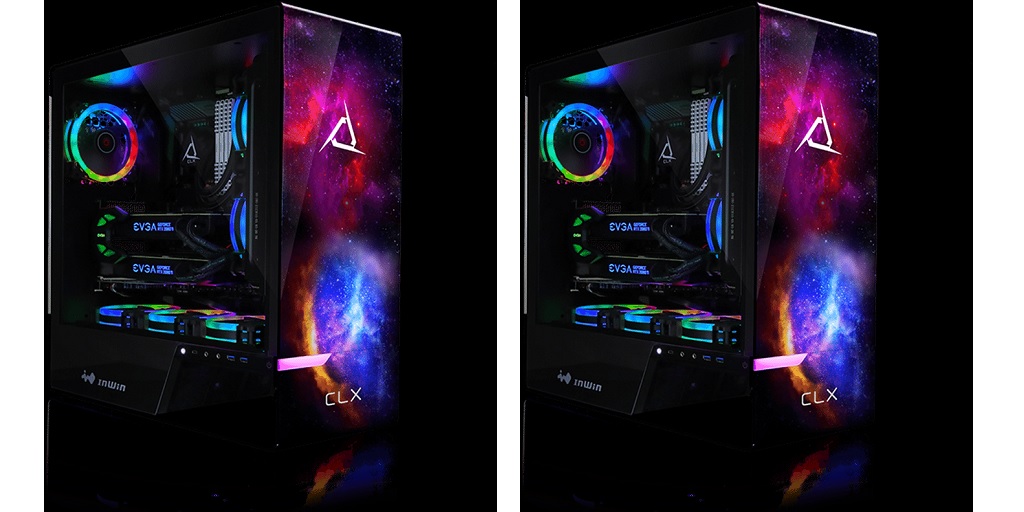
Unlike gaming PCs where raw GPU power is often the main focus, content creation demands a balanced system that can handle video editing, graphic design, 3D rendering, and streaming efficiently. If you’re a content creator looking to build your dream setup, here’s what you need to keep in mind:
Processing Power: The Heart of Your Workflow
The processor (CPU) is the backbone of any content creation rig. For tasks like video editing, Photoshop, and 3D rendering, a powerful CPU is essential. These applications rely heavily on the CPU’s processing power.
When shopping for a custom PC tower, you’ll want a multi-core processor with high clock speeds. For tasks like 4K video editing or animation, a high-core-count CPU such as an AMD Ryzen 9 or Intel Core i9 will make a noticeable difference. Some software, like Adobe Premiere Pro, benefits from higher clock speeds, while others, like Blender, rely more on multi-core performance. Understanding the software you use most will help you make the best choice.
Graphics Card: It’s Not Just for Gamers
A powerful GPU isn’t just for gamers – it’s a crucial component for content creators too. If your work involves 3D modeling, video editing, or motion graphics, investing in a strong graphics card can significantly speed up rendering times and smooth out your workflow.
For video editing, a GPU with ample VRAM (at least 8GB) ensures smooth playback and faster exports. If you work in 3D rendering, real-time ray tracing capabilities found in NVIDIA’s RTX series can be a huge advantage. Content creators should prioritize workstation-grade cards if they rely on software like DaVinci Resolve or Autodesk Maya, as these programs can leverage GPU acceleration for better performance.
RAM: More is Better
Content creation eats up a lot of memory, so having enough RAM is essential. If you’re editing videos, working with high-resolution images, or multitasking across several applications, 16GB of RAM is the absolute minimum you should consider. However, for a truly seamless experience, 32GB or even 64GB is recommended, especially for professional video editing and 3D rendering.
The type and speed of RAM also matter. Faster memory, such as DDR5, can improve overall system responsiveness, but capacity is usually more important than raw speed for content creation tasks.
Storage: Speed vs. Capacity
When it comes to storage, a combination of SSDs and HDDs is ideal. A high-speed NVMe SSD is crucial for your operating system and software, as it reduces boot times and improves overall performance. A secondary, larger SSD or HDD can be used for storing large media files, project files, and backups.
If you work with massive 4K or 8K video files, consider investing in multiple SSDs or even a NAS (Network Attached Storage) solution to keep your workflow smooth and your data organized. Cloud storage is another option, but it shouldn’t replace fast local storage.
Cooling: Keeping Your System Running Smoothly
You can expect powerful components to generate a lot of heat, and overheating can slow down performance or even damage your hardware. This is why a good cooling system is essential. You’ll need to decide between air cooling and liquid cooling.
High-performance air coolers work well for most builds, but if you’re using a high-core-count CPU, an all-in-one (AIO) liquid cooler might be worth considering. If you’re into overclocking, you’ll definitely want efficient cooling to prevent thermal throttling. Proper airflow in your case is also key – make sure you have enough fans to keep everything running at optimal temperatures.
Ports and Expandability: Planning for the Future
As a content creator, you’re likely using external storage devices, drawing tablets, cameras, and multiple monitors. That means having enough ports is crucial. When choosing a motherboard and case, make sure they support all the connectivity options you need, including USB-C, Thunderbolt, and plenty of USB-A ports.
Future-proofing is also important. You might not need 64GB of RAM today, but having the option to upgrade later will save you from needing an entirely new build down the road. The same goes for storage – having extra M.2 slots or SATA ports can make expanding your system much easier.
Shop for a Custom PC Tower on CLX
CLX is a system integrator that caters to gamers, but did you know that they’re also experts at building systems for content creators and PC industry professionals, too? Virtually build the custom PC tower ideal for your workflow using their online Ultimate Configurator tool today! Visit the CLX website now to learn more.
