
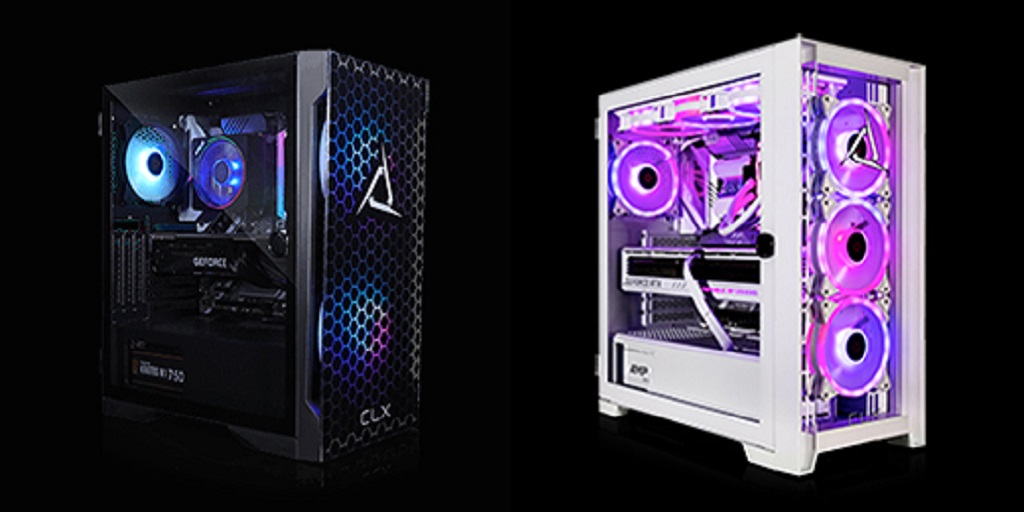
A gaming PC brings together several hardware elements that shape how your system performs. When you explore Gaming PCs, you begin to understand how each component influences speed, responsiveness, and visual quality. This knowledge helps you make better decisions when choosing or upgrading your setup.
The Role of the CPU in Gaming Performance
The central processing unit, or CPU, manages instructions and system logic. It controls how tasks are executed and how smoothly your system responds during gameplay. Games with large environments, detailed physics, or complex character behavior depend heavily on CPU performance.
Clock speed affects how fast each instruction is processed. Core count determines how many tasks your system can handle at once. A balanced CPU supports both smooth gameplay and efficient multitasking when other programs run in the background.
How the GPU Shapes Visual Experience
The graphics processing unit, or GPU, handles everything you see on screen. It renders textures, lighting, shadows, and animations in real time. A capable GPU allows higher frame rates and improved image quality during gameplay.
Modern titles often include advanced visual features such as ray tracing and detailed environmental effects. These require strong graphical processing power. Higher resolutions place more demand on the GPU, making it a key factor in achieving fluid visuals.
Why RAM is Important for Smooth Gameplay
RAM stores temporary data that your system needs immediate access to while running games. It allows the CPU and GPU to retrieve information quickly without delays. Limited memory can cause stuttering, longer load transitions, or interruptions during gameplay.
Most systems benefit from 16GB of RAM, which supports both games and background tasks. Faster memory speeds can also improve performance in situations where rapid data access is required.
Storage and Its Impact on Load Times
Storage determines how quickly your system loads games and files. Traditional hard drives provide larger capacity but operate at slower speeds. Solid-state drives offer faster performance, reducing wait times when launching games or loading new areas.
NVMe SSDs provide even higher speeds, improving system responsiveness. While storage does not directly increase frame rates, it creates a smoother overall experience.
How Components Work Together During Gameplay
Each component contributes to real-time performance while you play. The CPU processes game logic and sends instructions to the GPU. The GPU renders visuals based on those instructions, while RAM provides fast access to active data. Storage delivers game assets as needed, especially during level transitions.
When these parts operate in balance, your system handles demanding scenes with fewer slowdowns. If one component falls behind, it can limit the others. Understanding this interaction helps you identify where upgrades will have the most impact.
Balancing Components for Better Results
Each component contributes to overall system performance. A balanced configuration helps avoid bottlenecks that limit efficiency. For example, pairing a powerful GPU with a weaker CPU can reduce performance in certain scenarios.
Cooling systems help maintain stable temperatures during extended sessions. Power supplies ensure consistent energy delivery across all components. These elements support reliable operation and long-term stability.
To explore systems designed with these components in mind, CLX Gaming provides configurations that reflect thoughtful hardware choices. Reviewing complete builds can help you better understand how CPUs, GPUs, RAM, and storage work together in real-world setups.
For more information about Gaming Rigs For Sale and Pre Built Gaming Computers Please visit: Cybertron International, Inc.
