
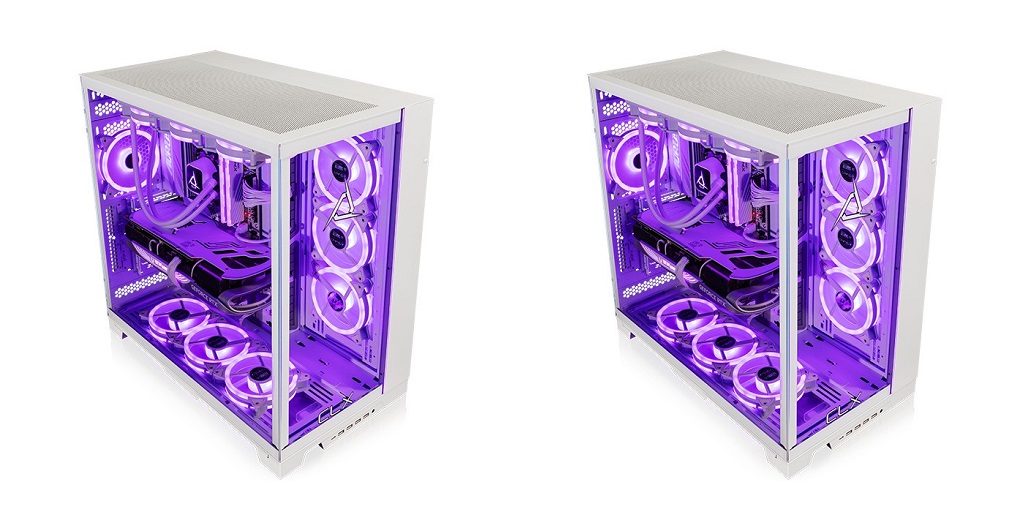
Deciding to buy a custom computer tower is an exciting prospect for anyone who’s looking to upgrade from their current setup. Whether you’re looking to create a powerhouse for gaming, video editing, or just a super-fast everyday PC, a custom computer tower gives you full control over performance, aesthetics, and budget.
If this is your first time shopping for one, though, you might be feeling a little overwhelmed by all the choices you have to make. To that end, here’s a guide that will walk you through everything you need to know so that you can shop with confidence:
Understanding Your Needs Before You Buy
Before you start shopping or looking at parts, take a moment to figure out what you actually need from your computer. Will it be primarily used for gaming on ultra settings, or do you need a machine that can handle heavy video rendering? Or are you just looking for something faster and more reliable than an off-the-shelf PC?
It’ll be much easier to choose the right components once you have a clear idea and understanding of what you need. Buying the most expensive parts isn’t always the best choice – sometimes, a mid-range setup will do everything you need at a fraction of the cost.
Choosing the Right Case
The case that you choose will dictate how your PC looks and functions. It will determine how much space you have for components, how good the airflow will be, as well as how easy it will be to upgrade your system in the future.
Sizes range from full-tower to mid-tower to mini-tower. If you want a lot of upgrade potential and a spacious layout for cooling, a full or mid-tower is a great choice. Mini-towers save space but can make installation trickier.
You’ll also want to think about aesthetics. Many cases come with RGB lighting, tempered glass panels, and sleek designs. Beyond looks, though, make sure that it has enough USB ports, good ventilation, and space for future upgrades.
Picking the Right Internal Components
After choosing your case, it’s time to select components.
Your processor (CPU) is the brain of your system. If you’re gaming, a high-performance CPU like an Intel Core i7 or AMD Ryzen 7 will work well. For professional workloads, you might need something even stronger.
The graphics card (GPU) is essential for gaming and creative work. Brands like NVIDIA and AMD offer a range of options, but make sure you choose one that fits your budget and performance needs. If you’re not gaming or doing intensive graphics work, you might not need a dedicated GPU at all.
Your RAM (memory) determines how well your system handles multiple tasks. For general use, 16GB is a good starting point. Gamers and content creators might want 32GB or more.
Your storage comes in two main types: SSDs and HDDs. An SSD (solid-state drive) makes everything faster, from booting up your system to loading applications. If you need extra storage, you can add a traditional HDD for larger files.
Finally, your power supply unit (PSU) is the component that keeps everything running. Make sure you get a reliable PSU with enough wattage to handle all your components. A good rule of thumb is to get a PSU from a trusted brand with at least 80 Plus Bronze certification for efficiency.
Skip the Hassle with CLX
If you want a custom computer tower but don’t want to physically build it on your own, then relying on a reputable system integrator like CLX is a great option. You can use their online Ultimate Configurator tool to pick out the components that you want, and from there, their team of experts will build your custom computer tower and ship it out to you. Alternatively, you can choose from their selection of ready-to-ship offerings. Visit the CLX website to learn more today.
